Everything the Scribe does, shown on real screens
From the day’s first appointment to the last finished note. Each section shows the product as it is today, with a two minute guide if you would like to watch it working.
Start Your Free 14-Day Trial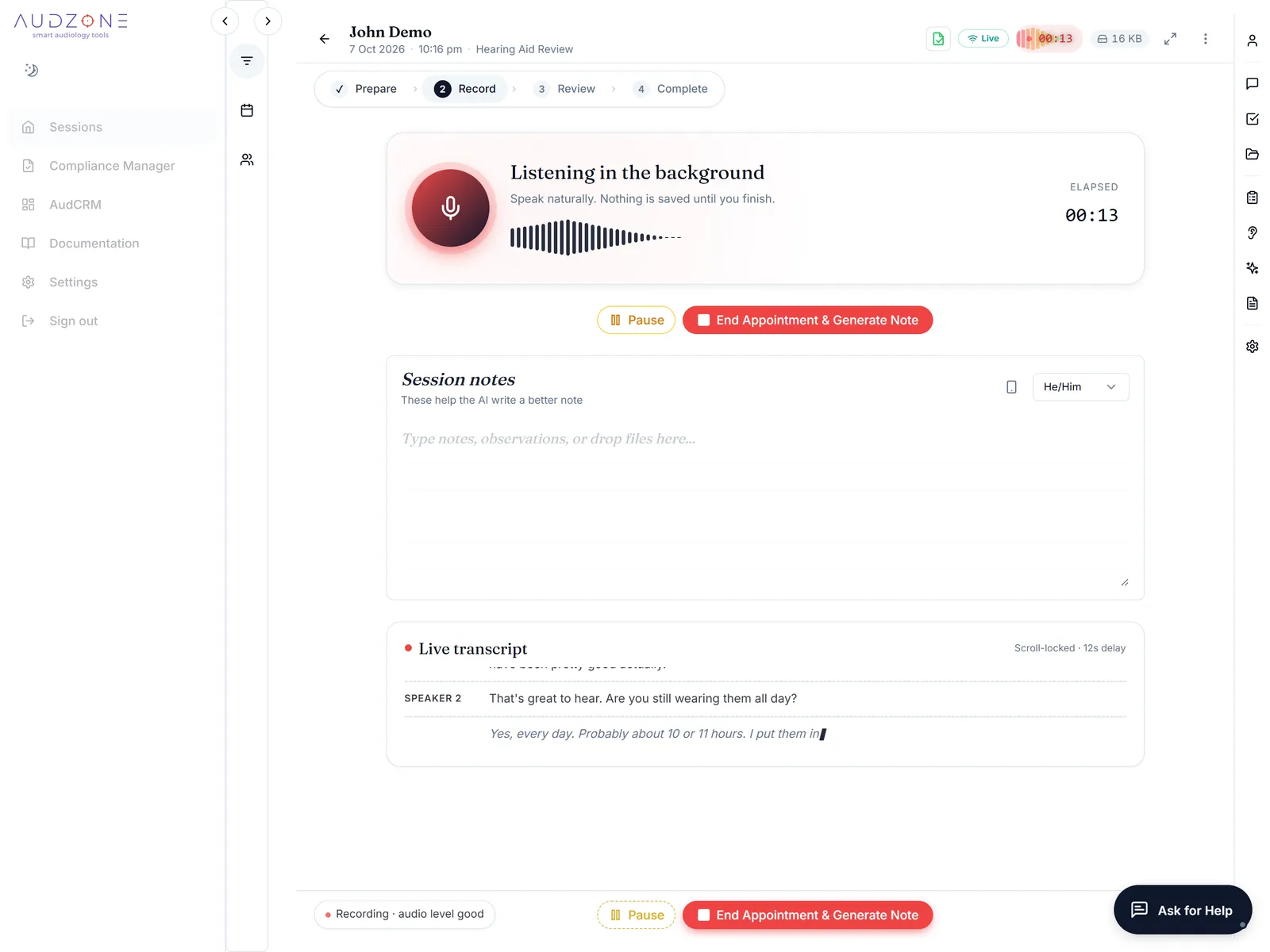
A visit, from start to finish
You talk to your client. AudZone looks after the paperwork around it.
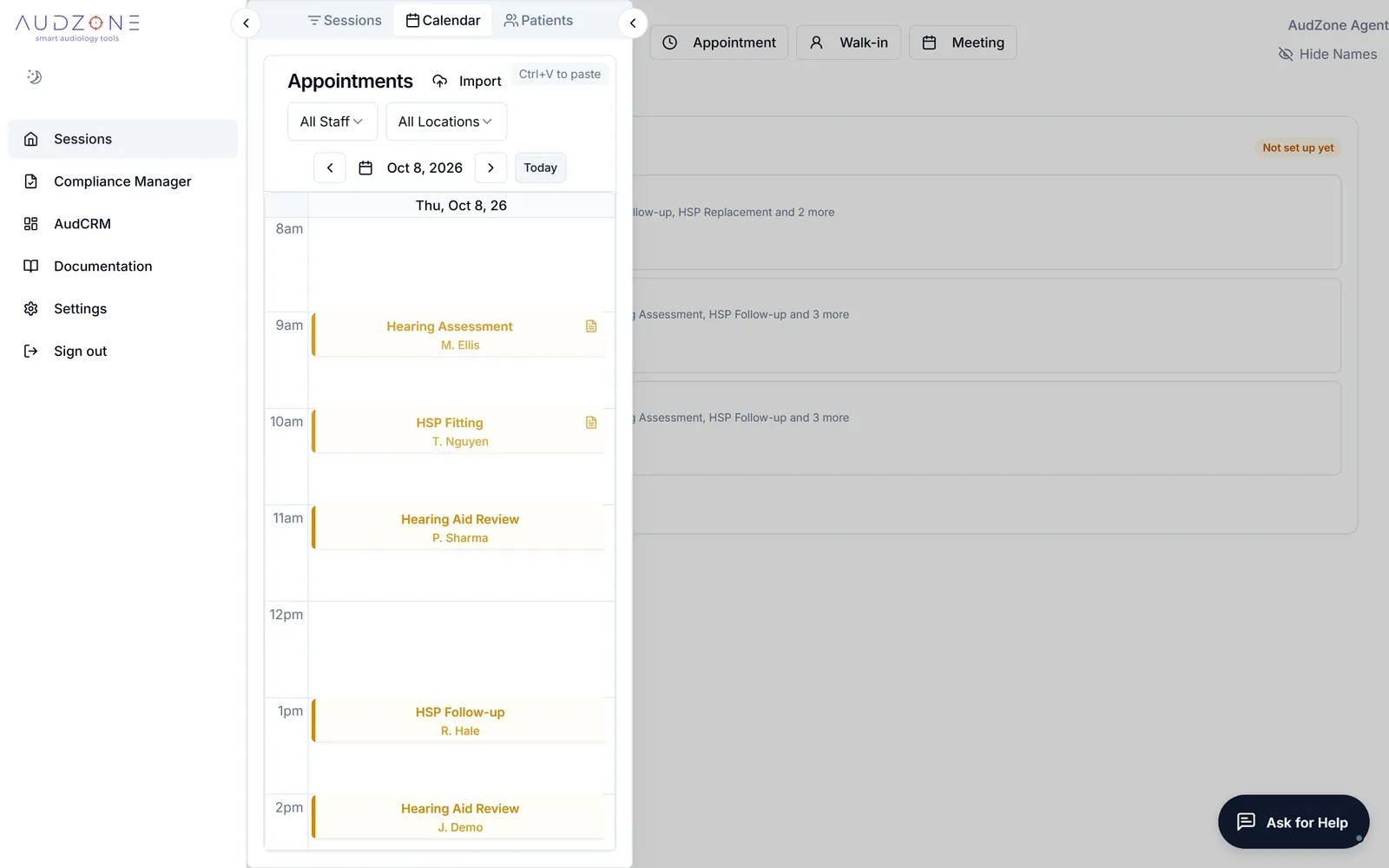
Your day is ready before the first client arrives
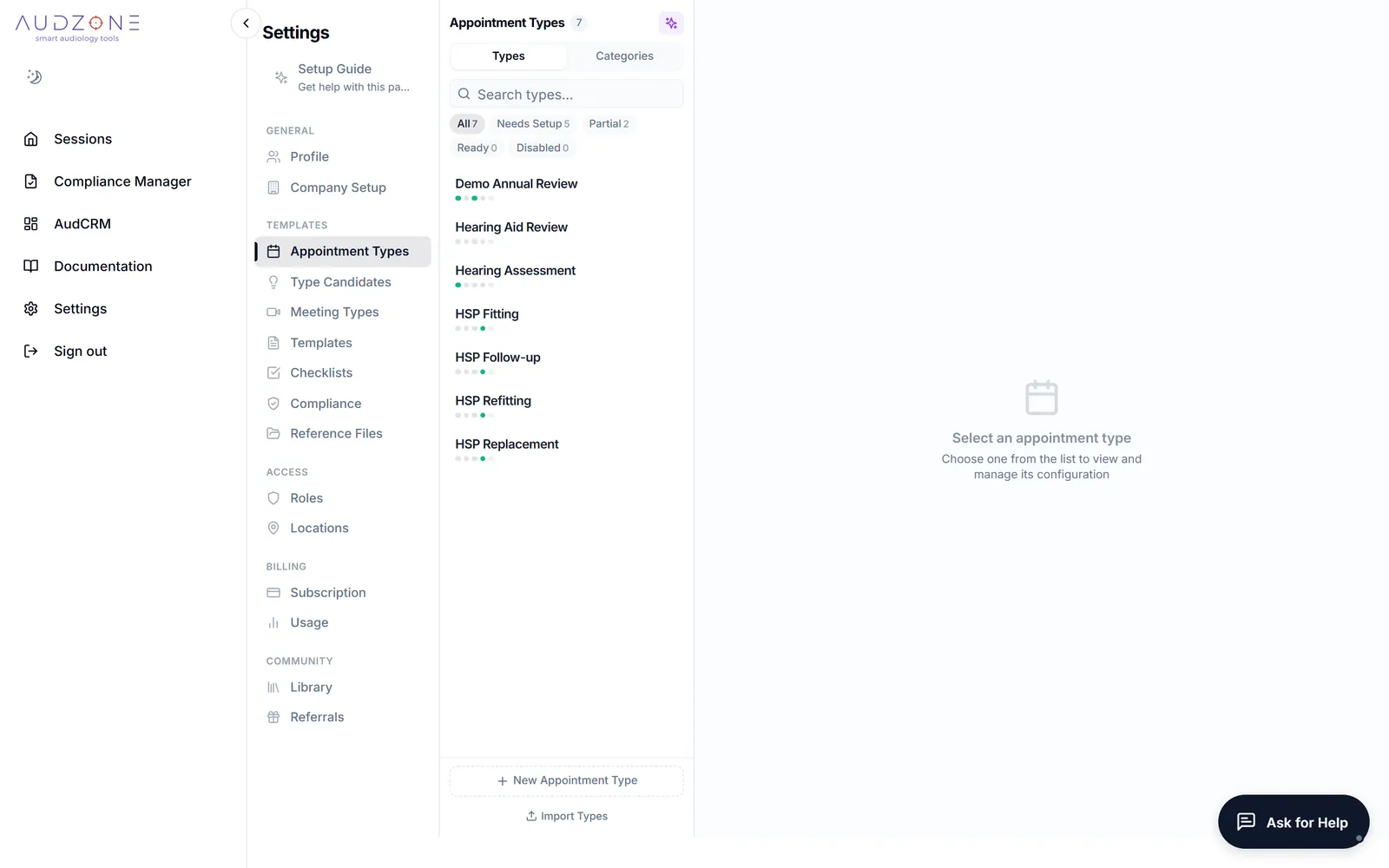
Bring your appointments in from CounselEAR, from a photo or file of your schedule, or add one by hand. Each appointment type carries its own note template, checklist and compliance rules, so the right ones are waiting when you open the session.
- Paediatric assessments, cochlear implant reviews, diagnostic assessments, tinnitus consults, wax removal and fittings each get their own setup
- Test your microphone in a few seconds before the client sits down
- Walk-ins and team meetings start from the same screen
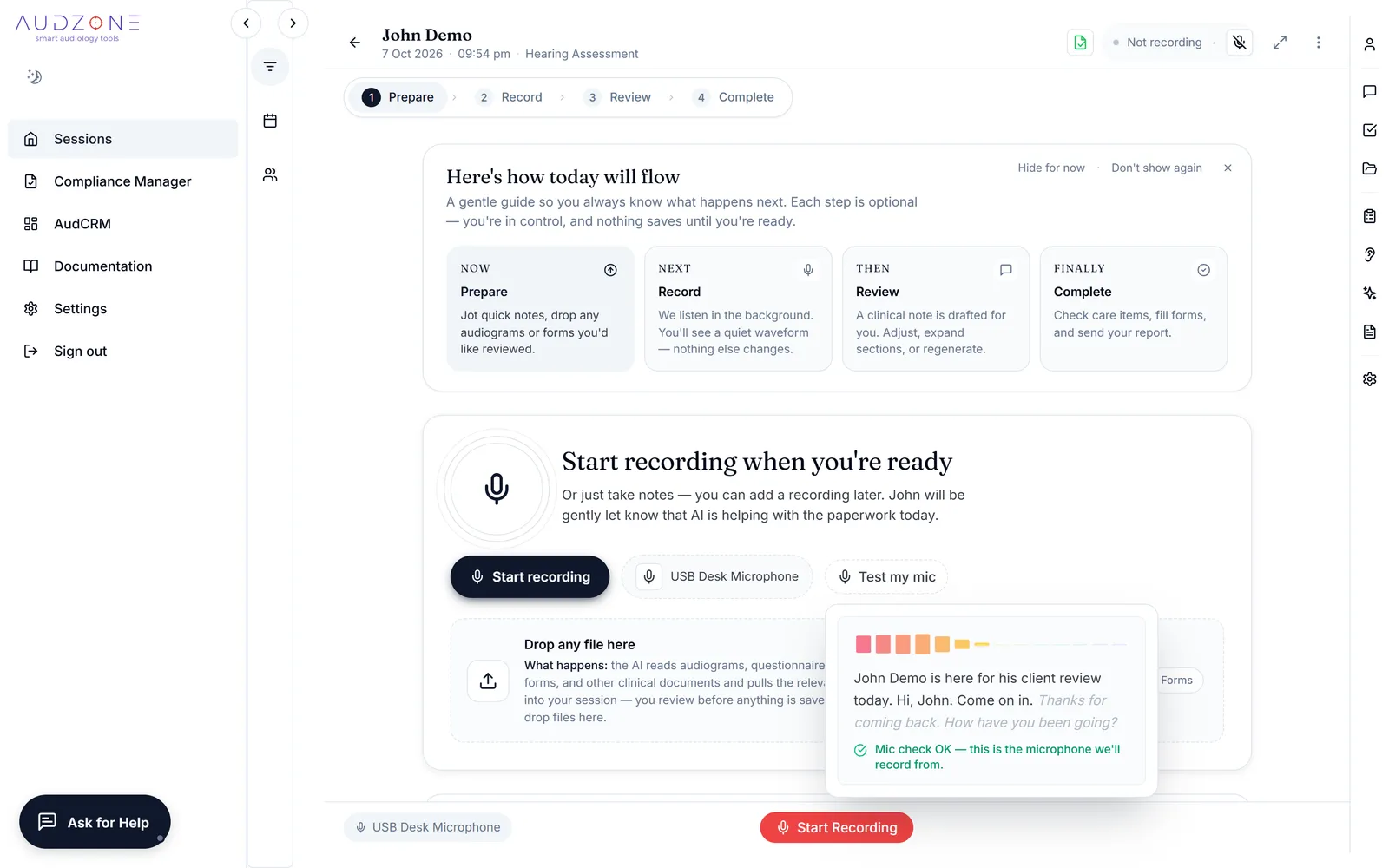
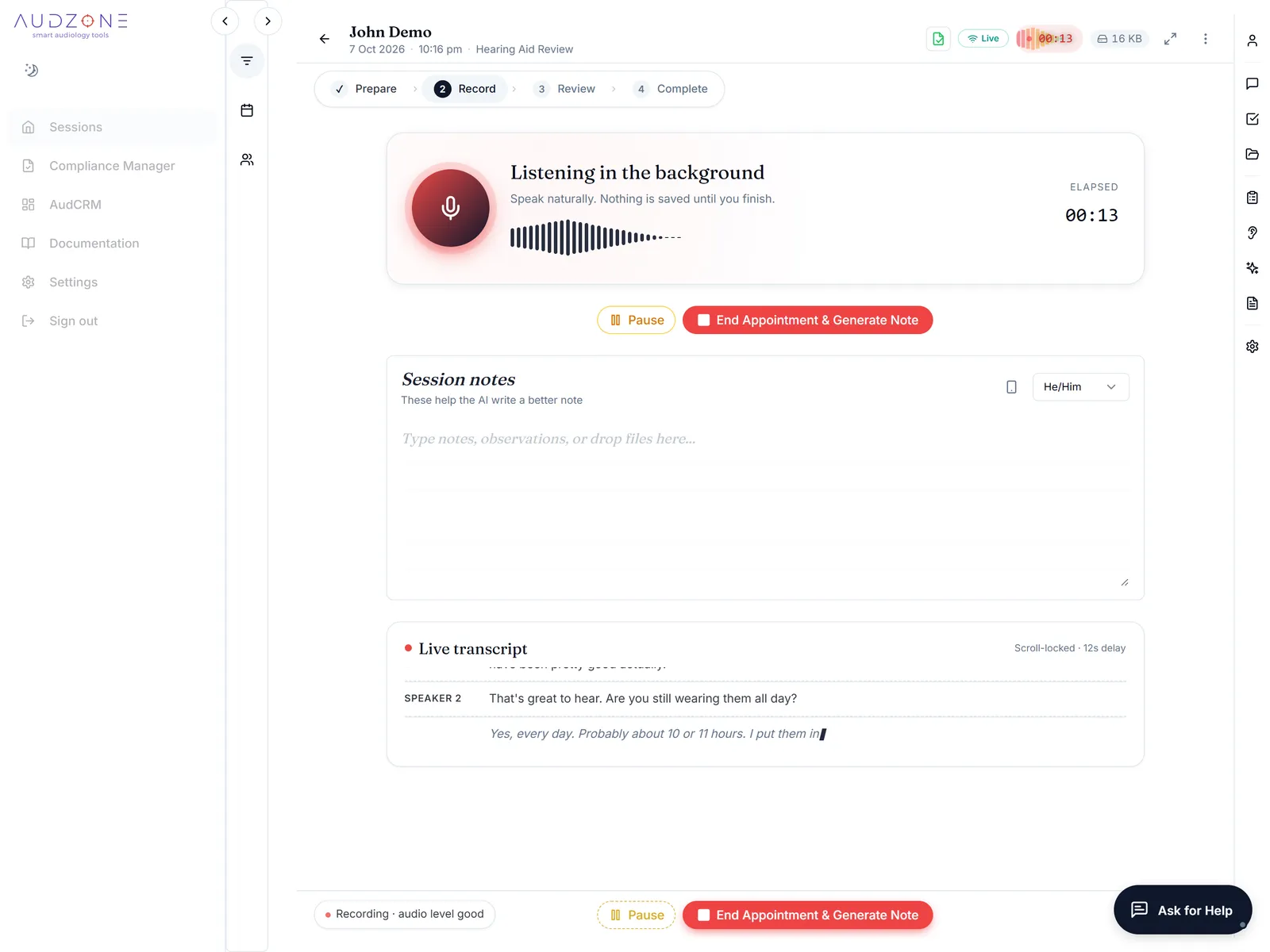
Press record, then give your client your full attention
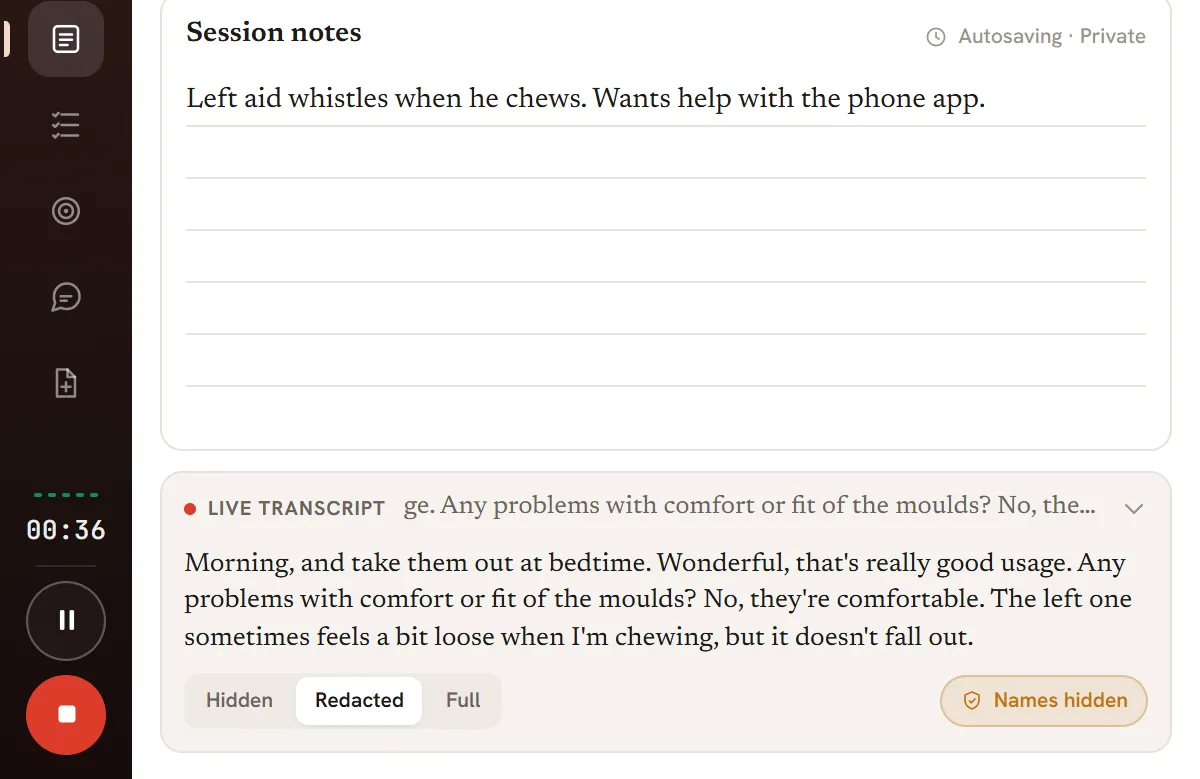
The transcript builds while you talk. The recording is saved on your own computer every few seconds, so a closed tab or a dropped connection does not cost you the appointment.
- Pause for anything private, then resume
- A floating window stays on top of your audiometer or fitting software (Chrome and Edge)
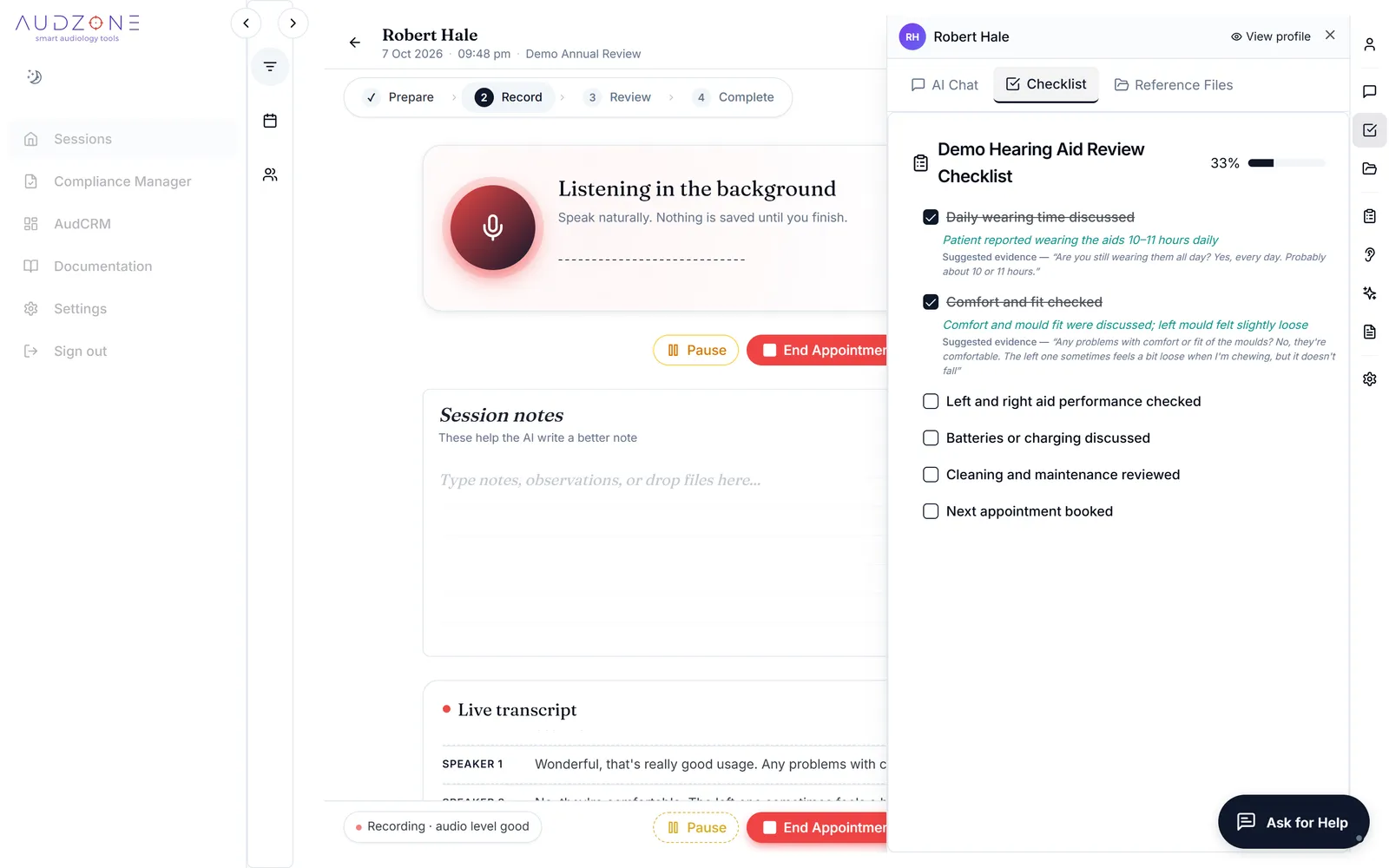
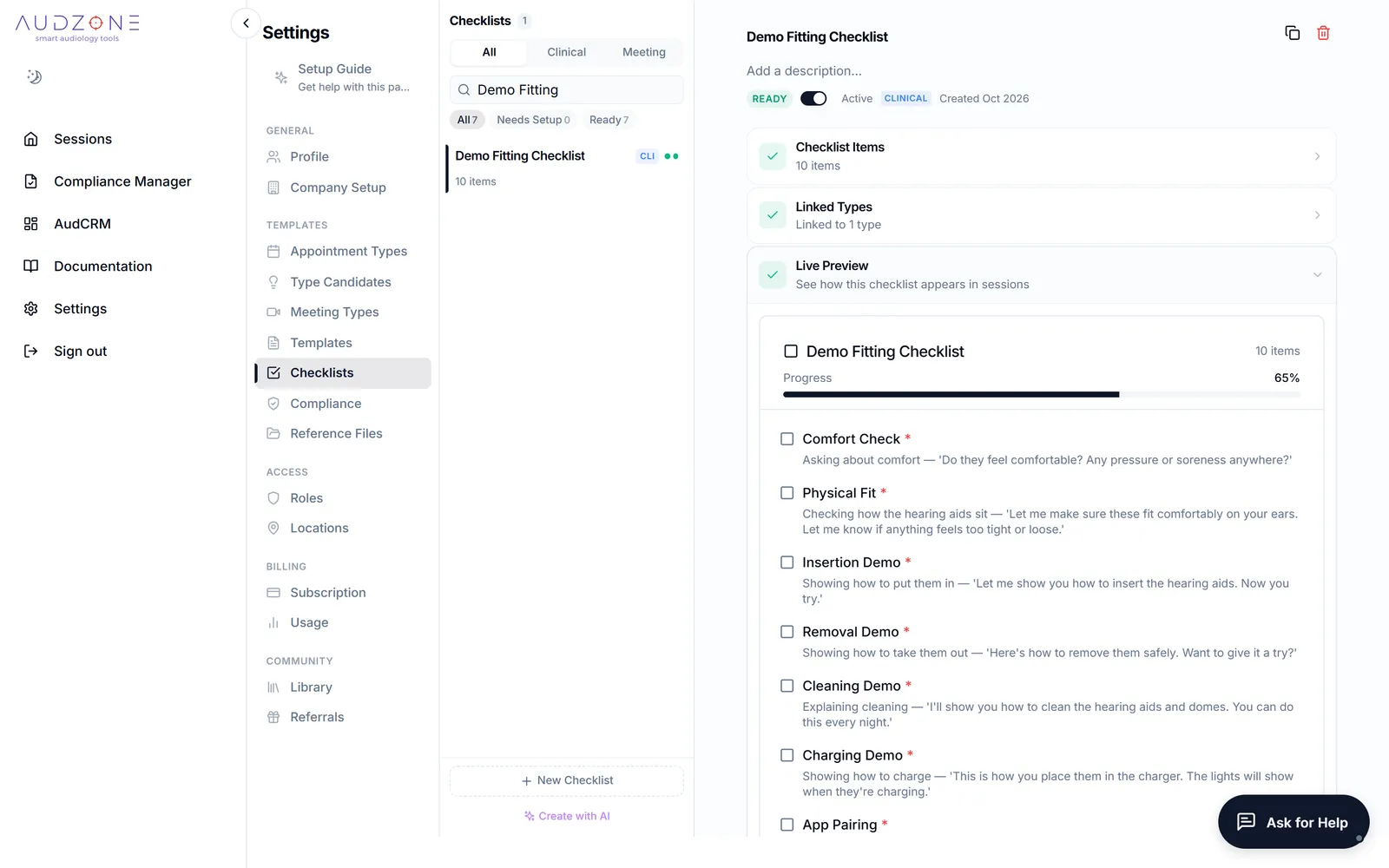
- Checklist items can tick themselves as each topic comes up, and you can undo any of them
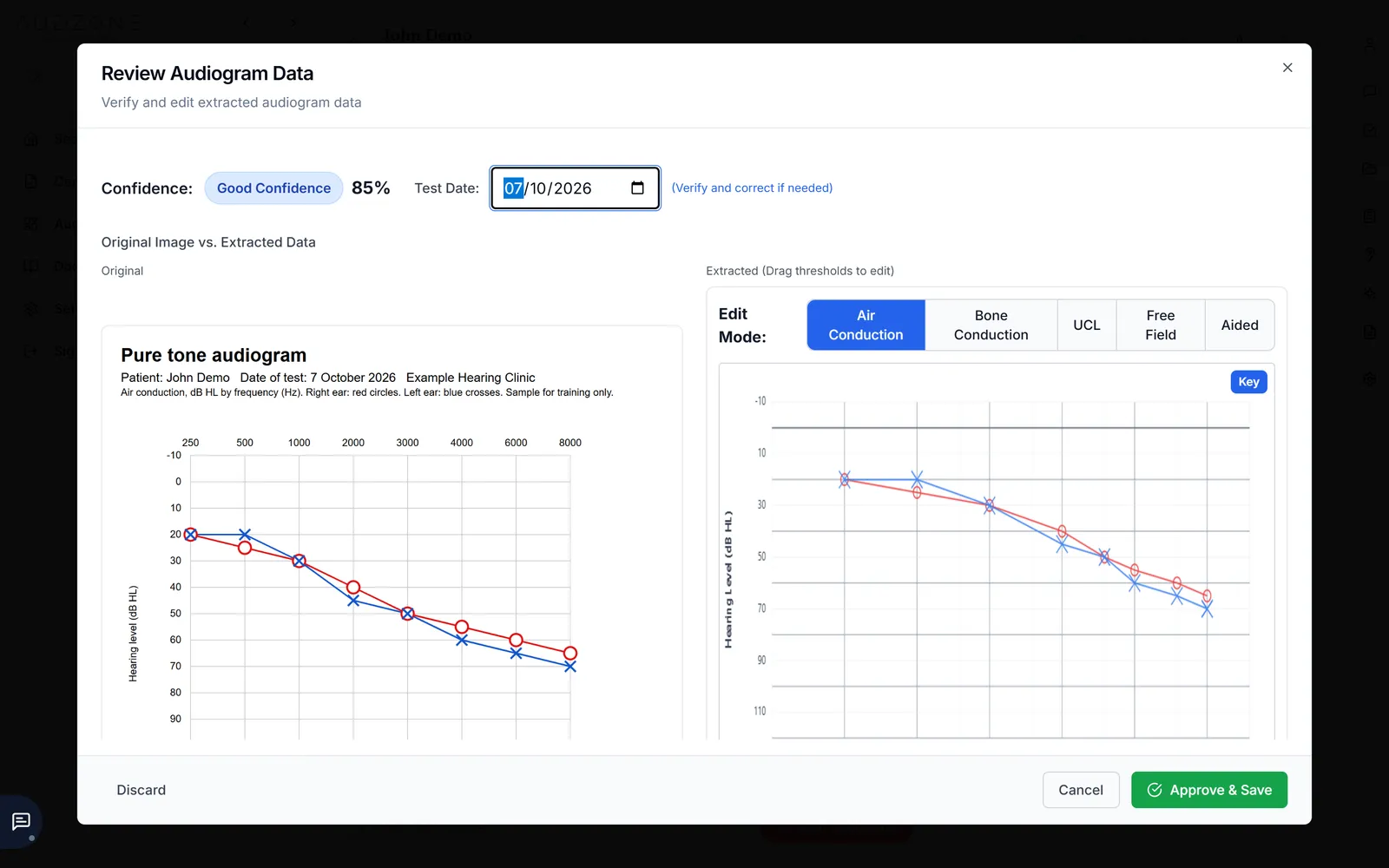
- Drop in a picture of an audiogram and the thresholds are read for you to check
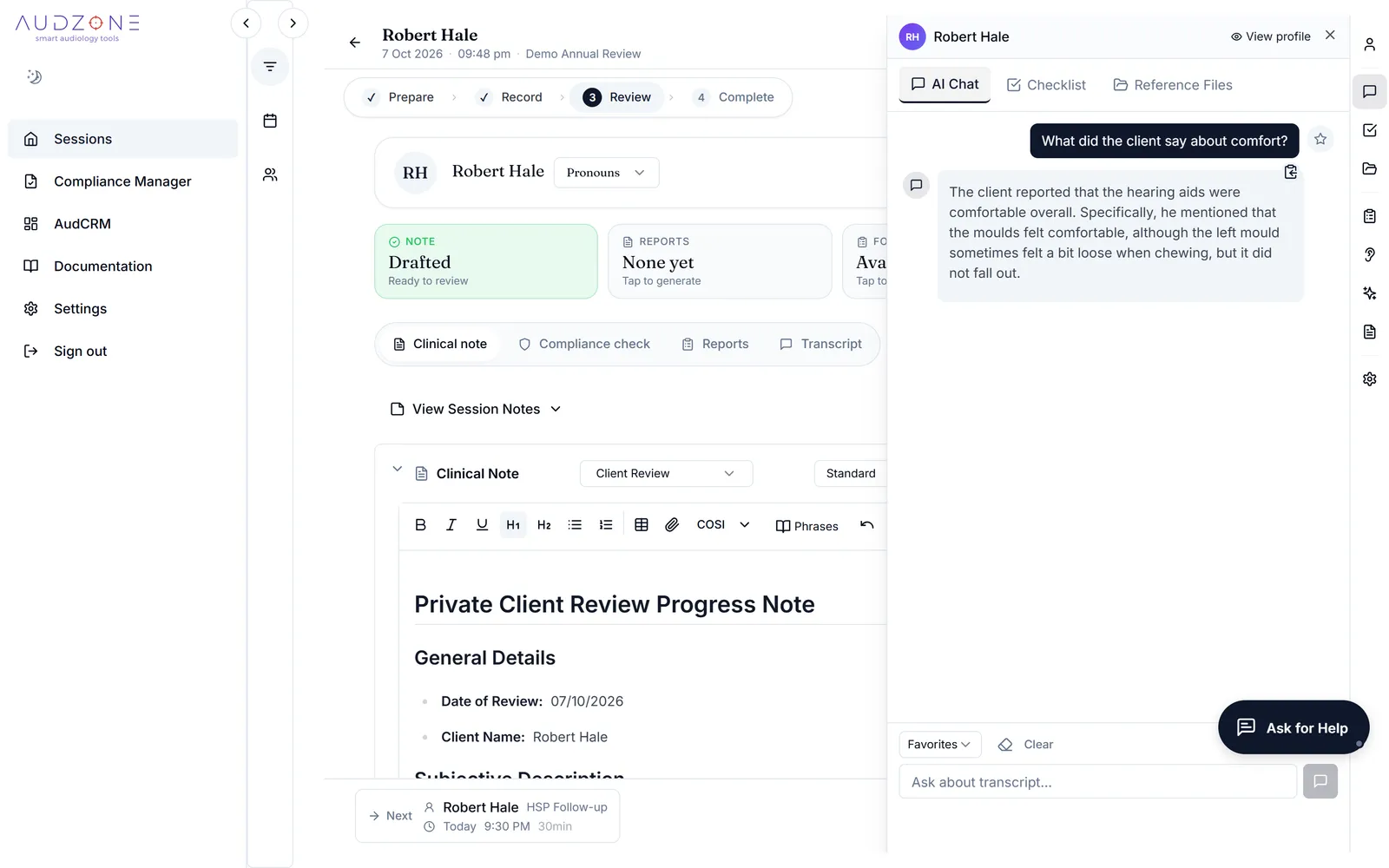
- Ask a question about what was said, and get the answer from the transcript
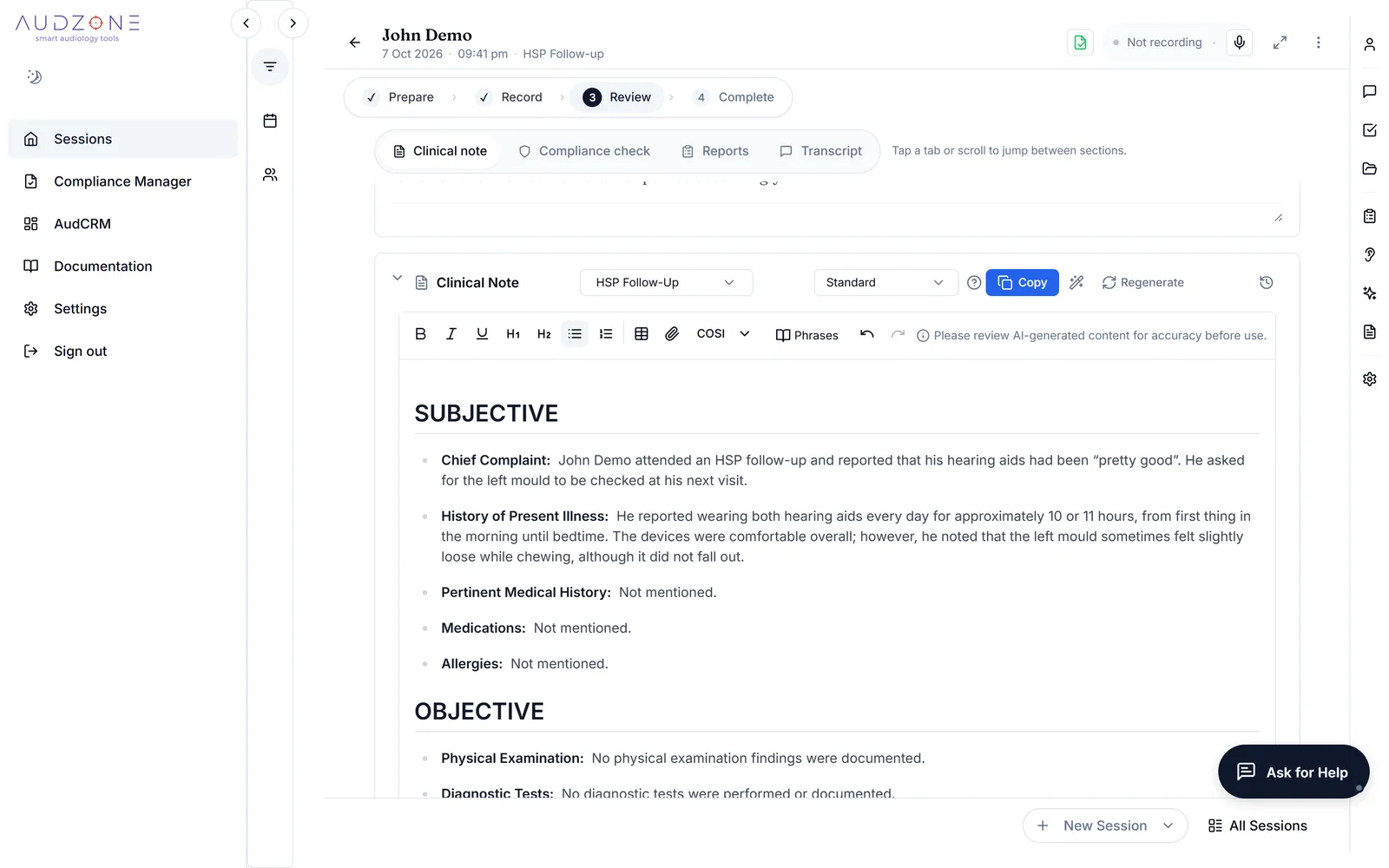
The clinical note is written for you, in your template
When you end the appointment the note is drafted, usually in 60 to 90 seconds. It follows the template for that kind of appointment and the writing style you have taught it. Then it is yours to read and change.
- Edit in place, with every change saved as you go
- Have it written again with an instruction, such as "be more concise"
- See the edit history and compare with the first draft
- Copy to your practice software, or export
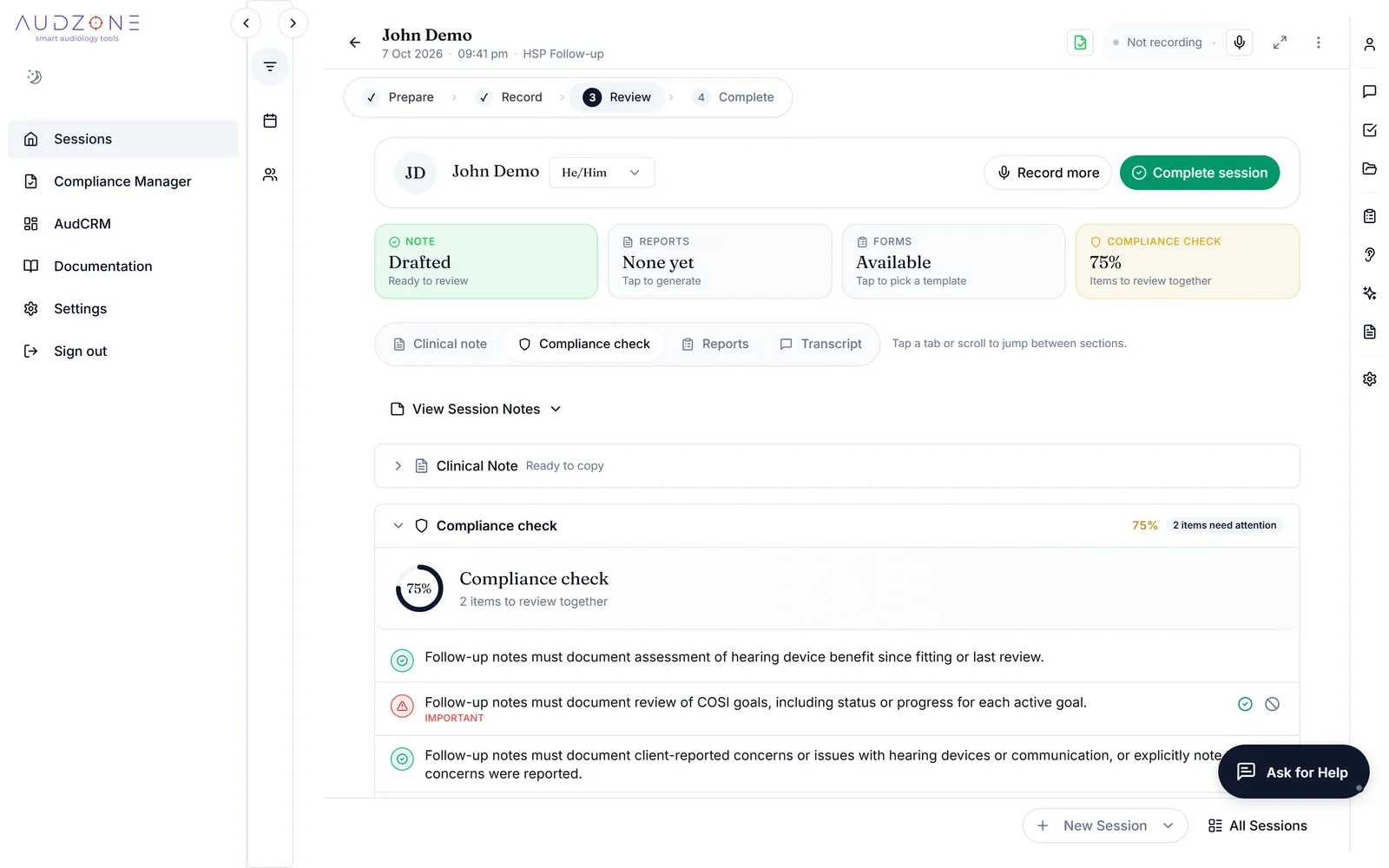
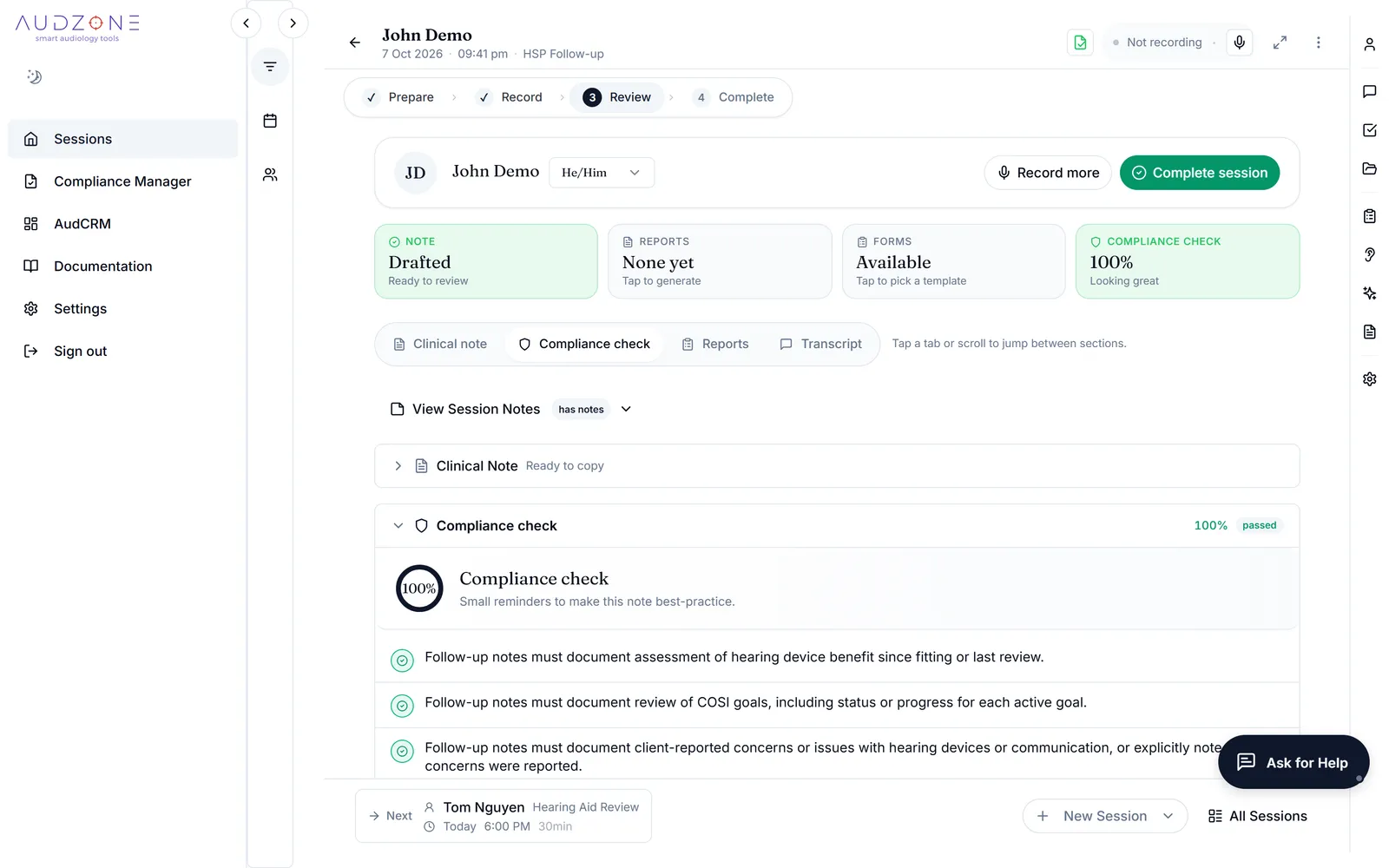
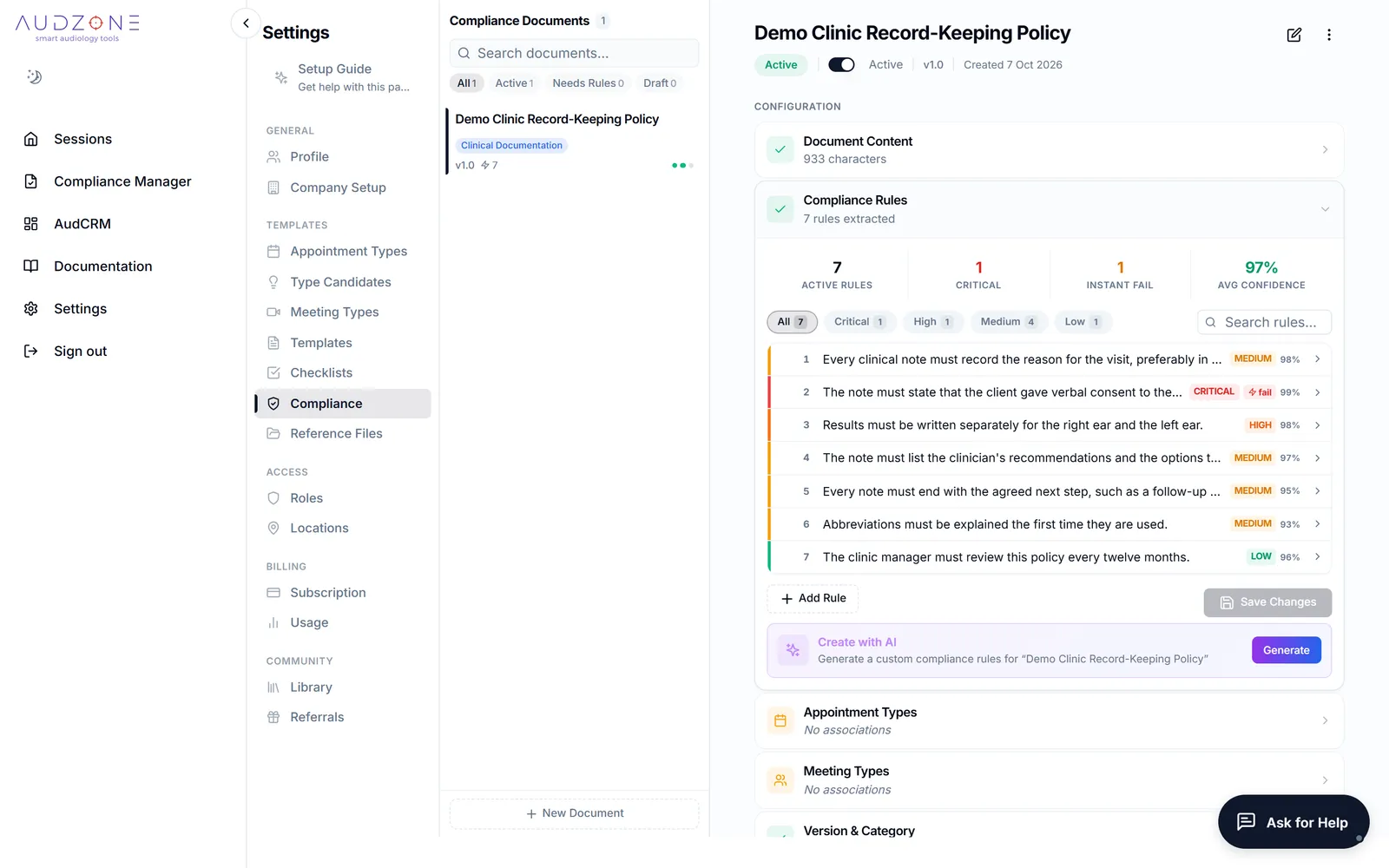
Every note is checked against your rules
Hearing Services Program rules come ready made, because it is the most documentation-heavy pathway in Australia. The same check works for any protocol: upload a DVA, NDIS, paediatric or cochlear implant guideline, or your own clinic policy, and AudZone drafts the rules for you to review.
- See exactly what is missing, in plain words
- Fix it yourself, or let Improve Note add what the transcript supports
- Mark an item not applicable, with a reason
- Managers see results across clinicians and appointment types
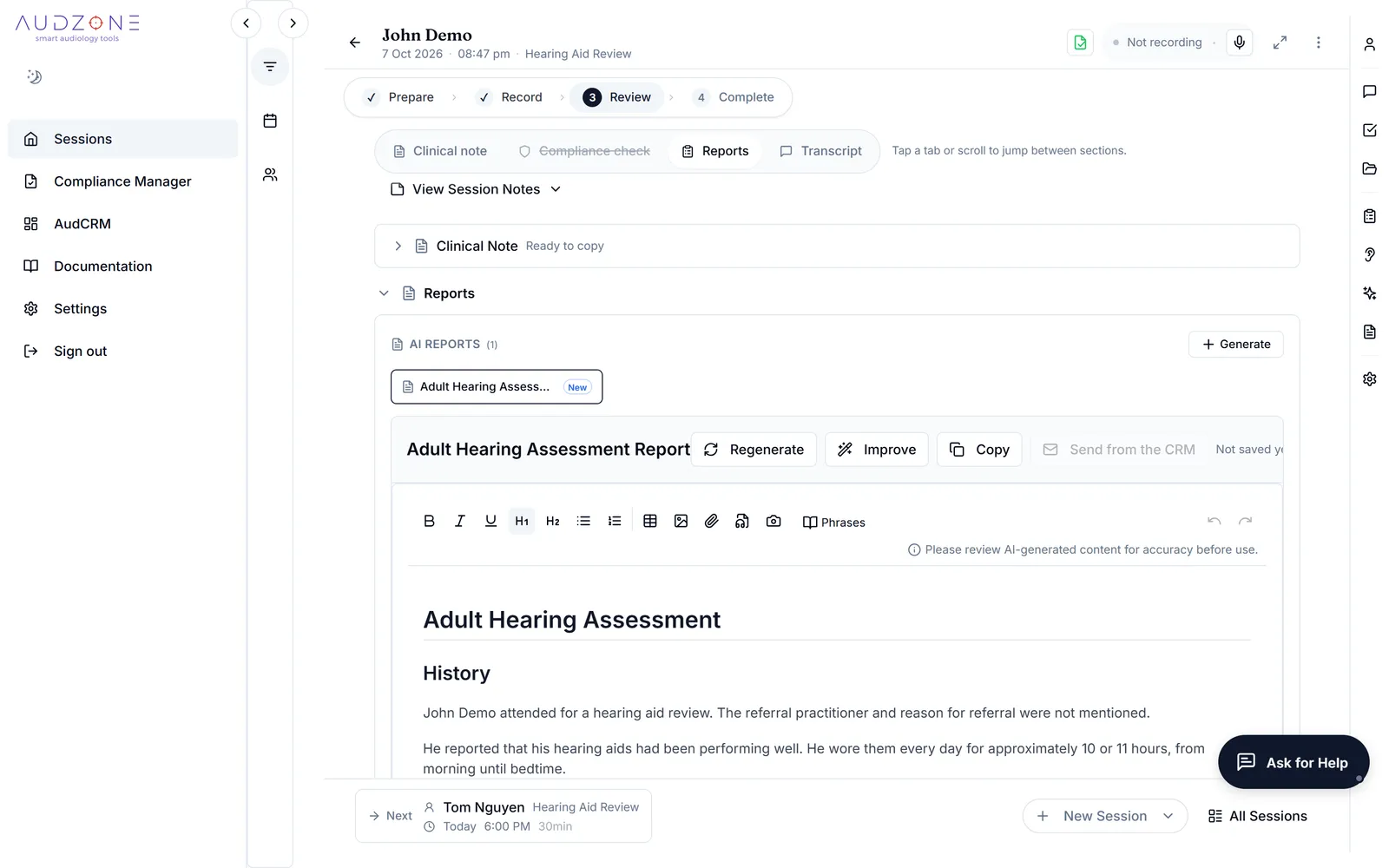
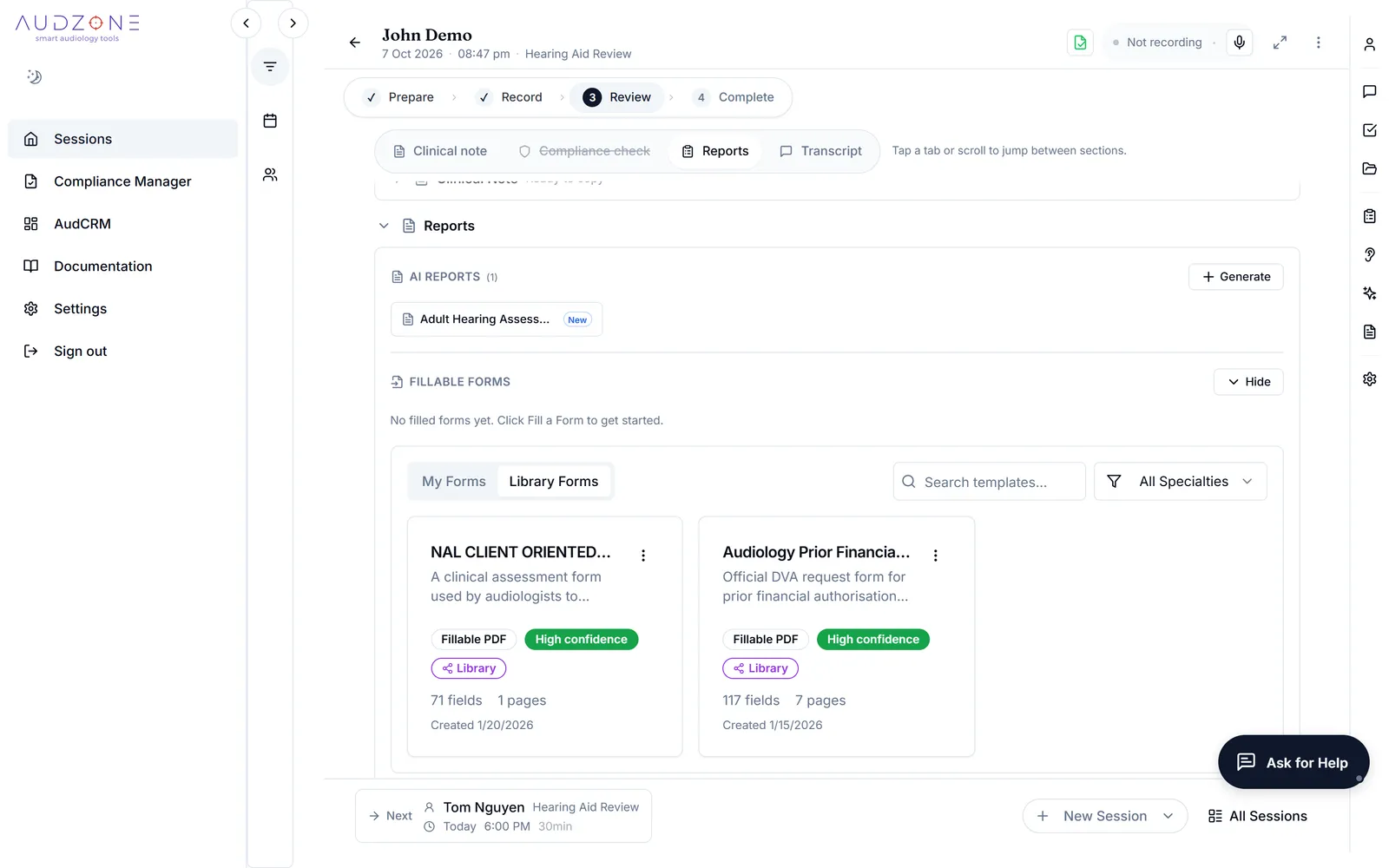
Letters, reports and funding forms from the same appointment
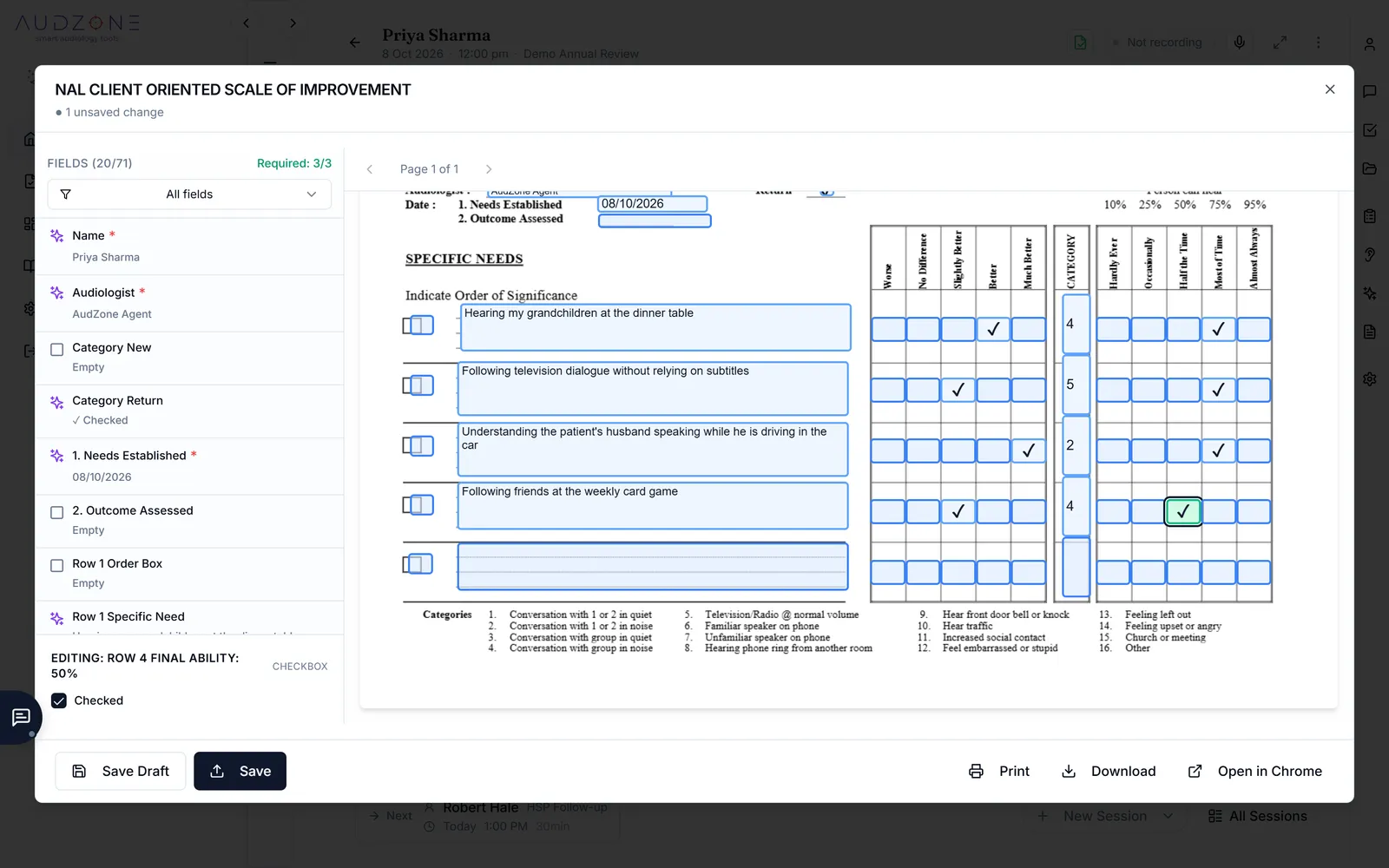
Write a GP letter or a report from the session with a template, or with your own instructions. Fill PDF forms from what was said and recorded. The DVA Audiology Prior Financial Authorisation Request and the NAL COSI form are included, and you can add your own, such as an NDIS form.
- Choose the audience and style for each report
- Clinician names and provider numbers fill in by themselves
- A filled form is a draft: check each field, correct it, then save and download
Goals and outcomes that follow the client
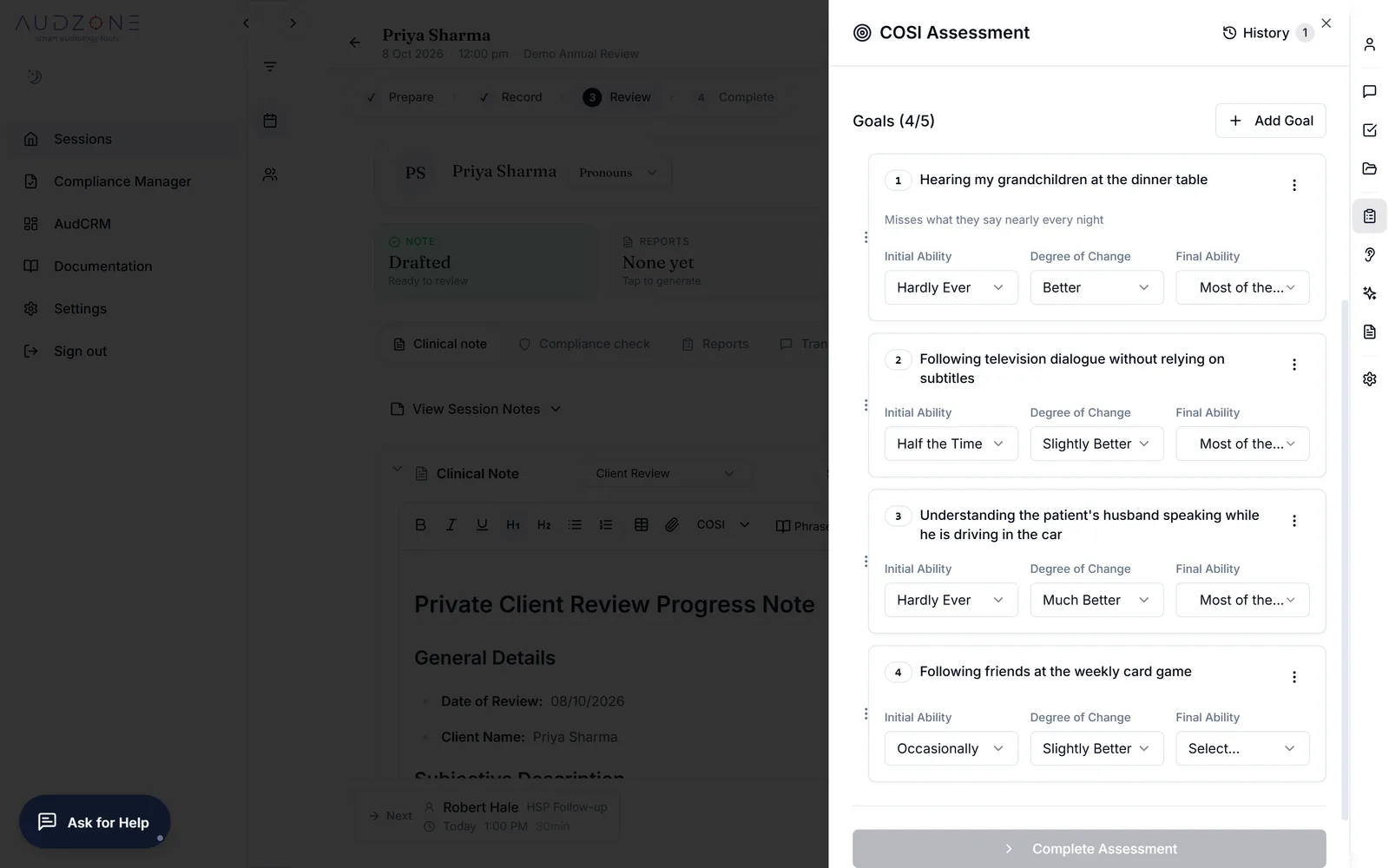
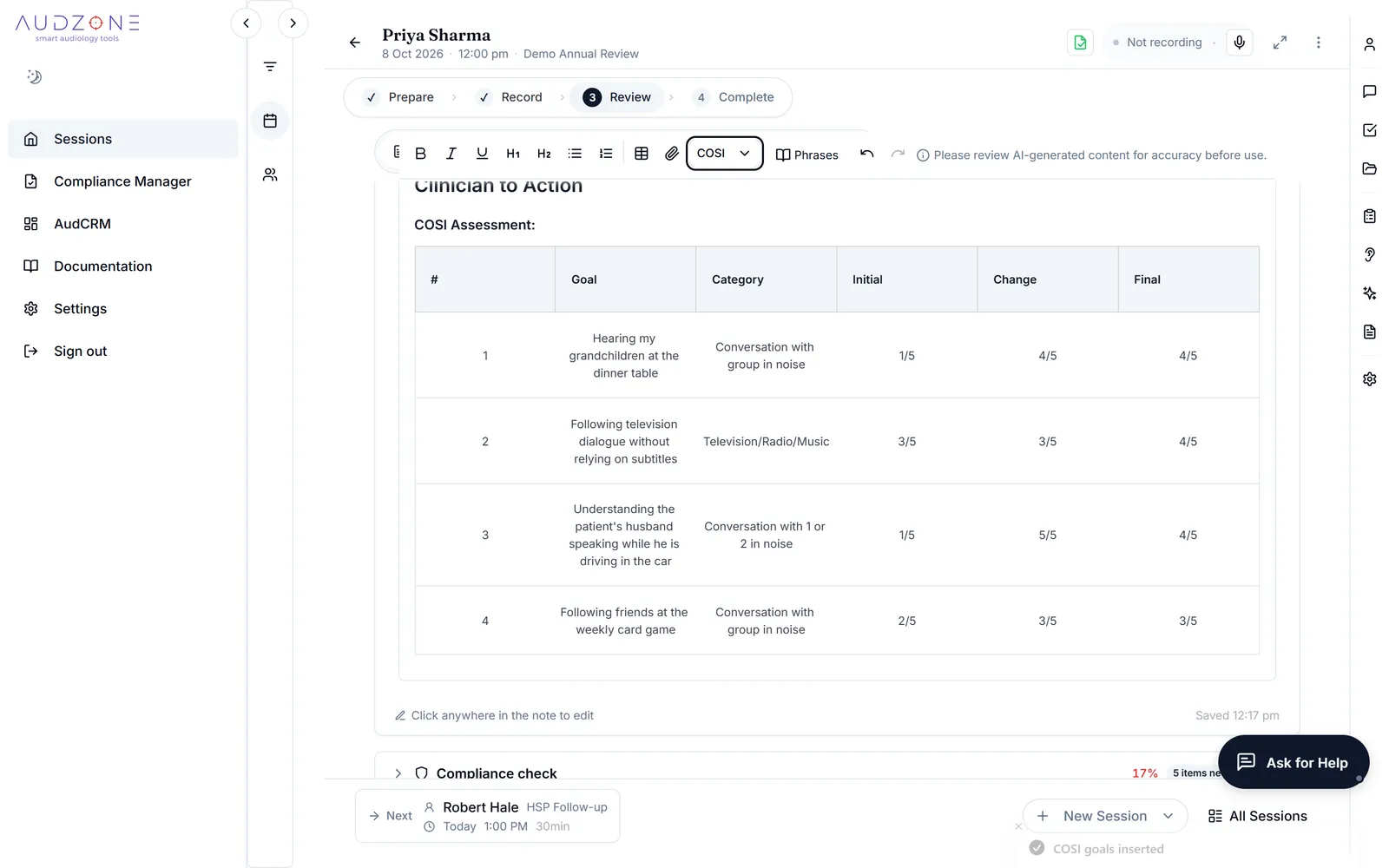
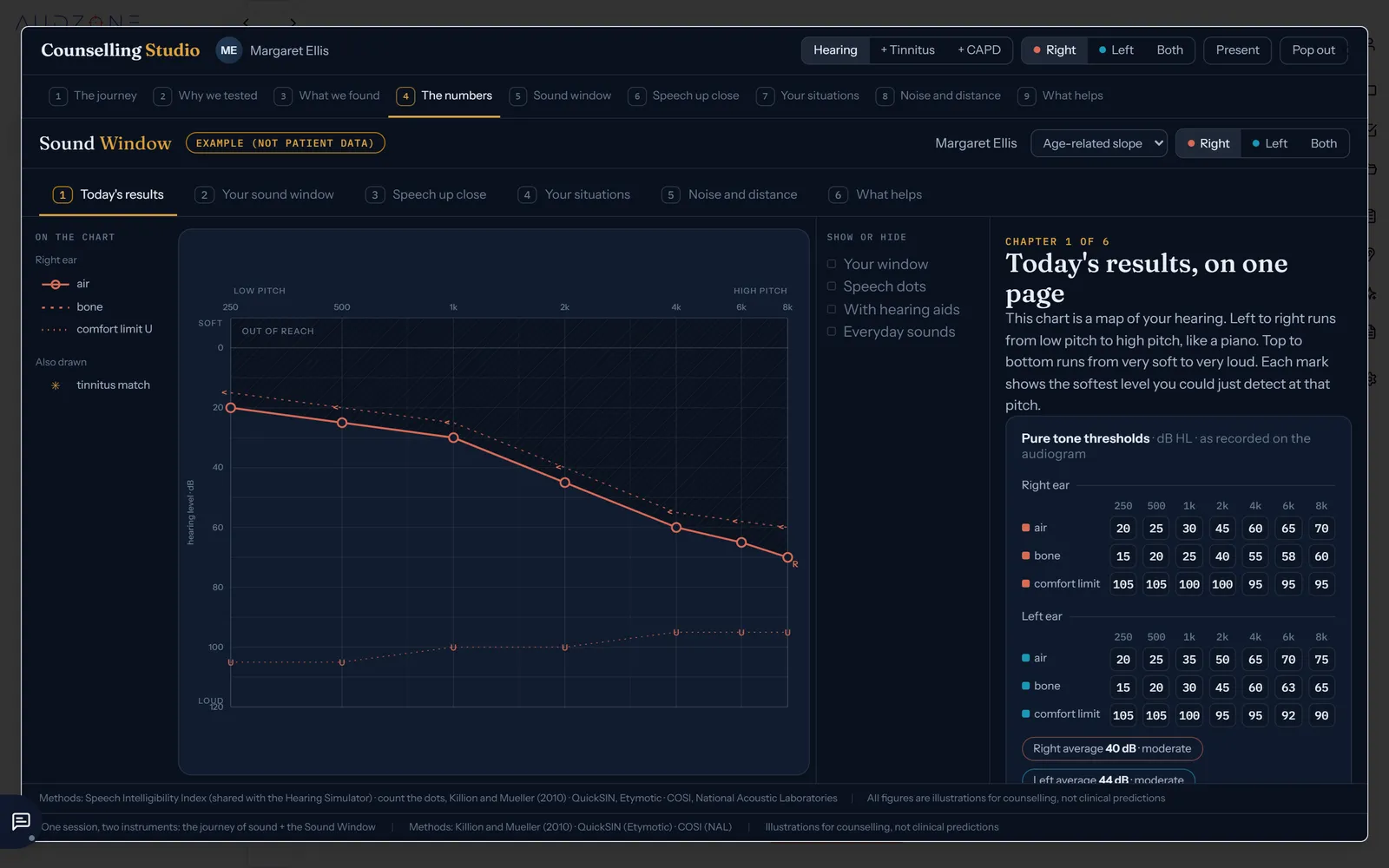
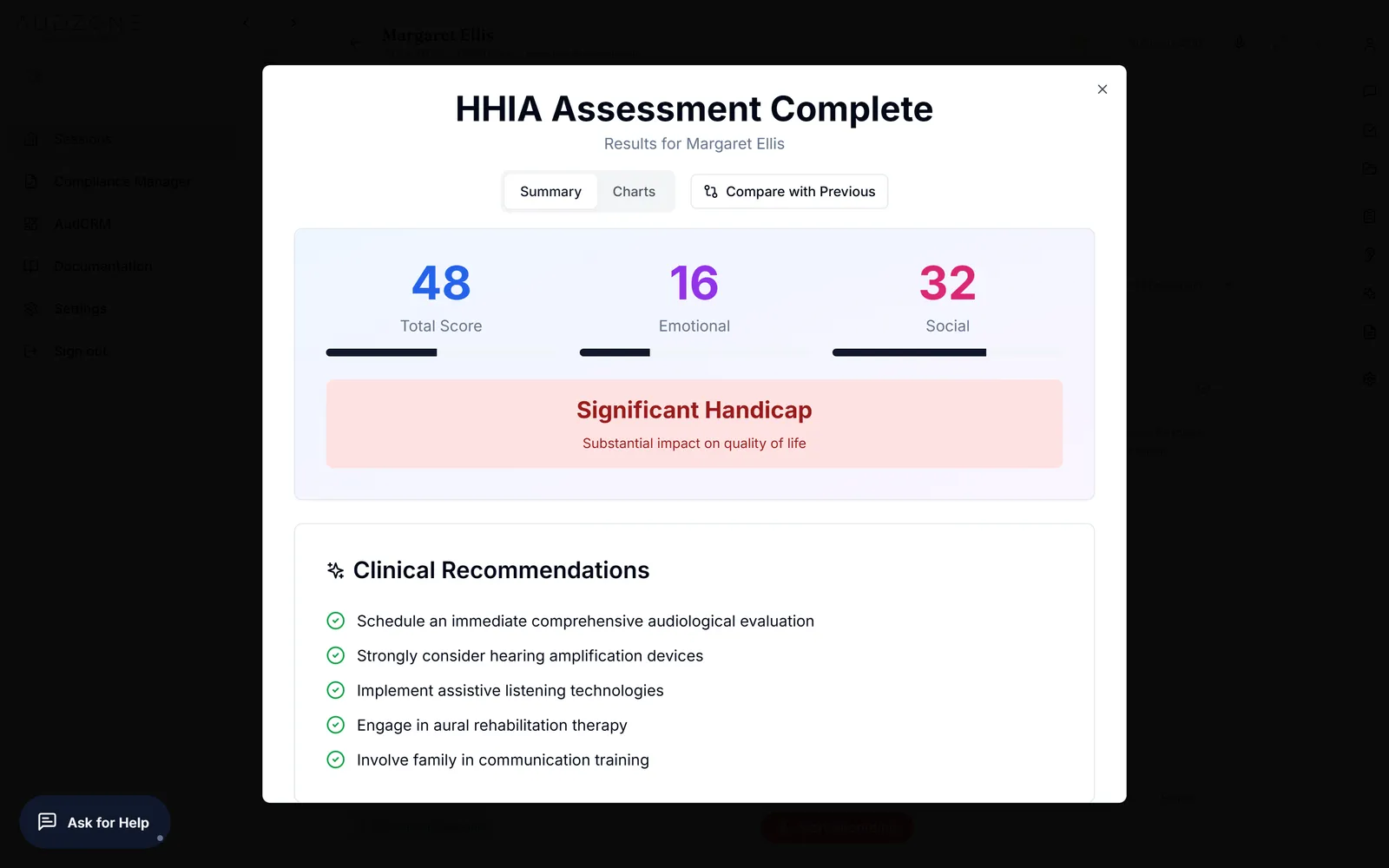
Set COSI goals from the conversation, rate the outcomes at the follow-up, and put the table straight into the note or onto the NAL form. The HHIA questionnaire and Counselling Studio help you explain results in pictures a client can follow.
- COSI goals drafted from what the client said, for you to correct
- A history of every assessment for each client
- Counselling Studio: the client's own results on one clear page
Your templates, your wording
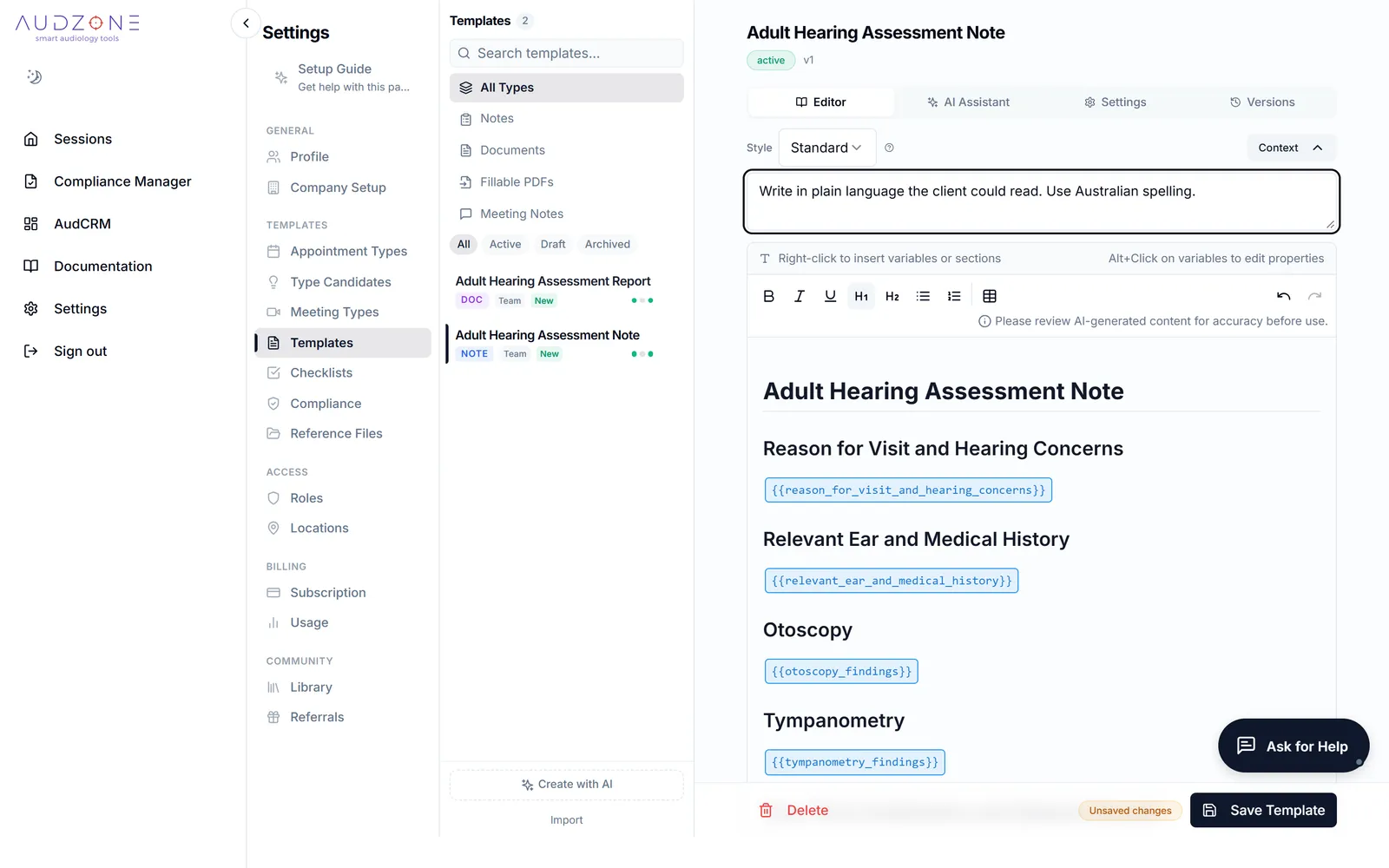
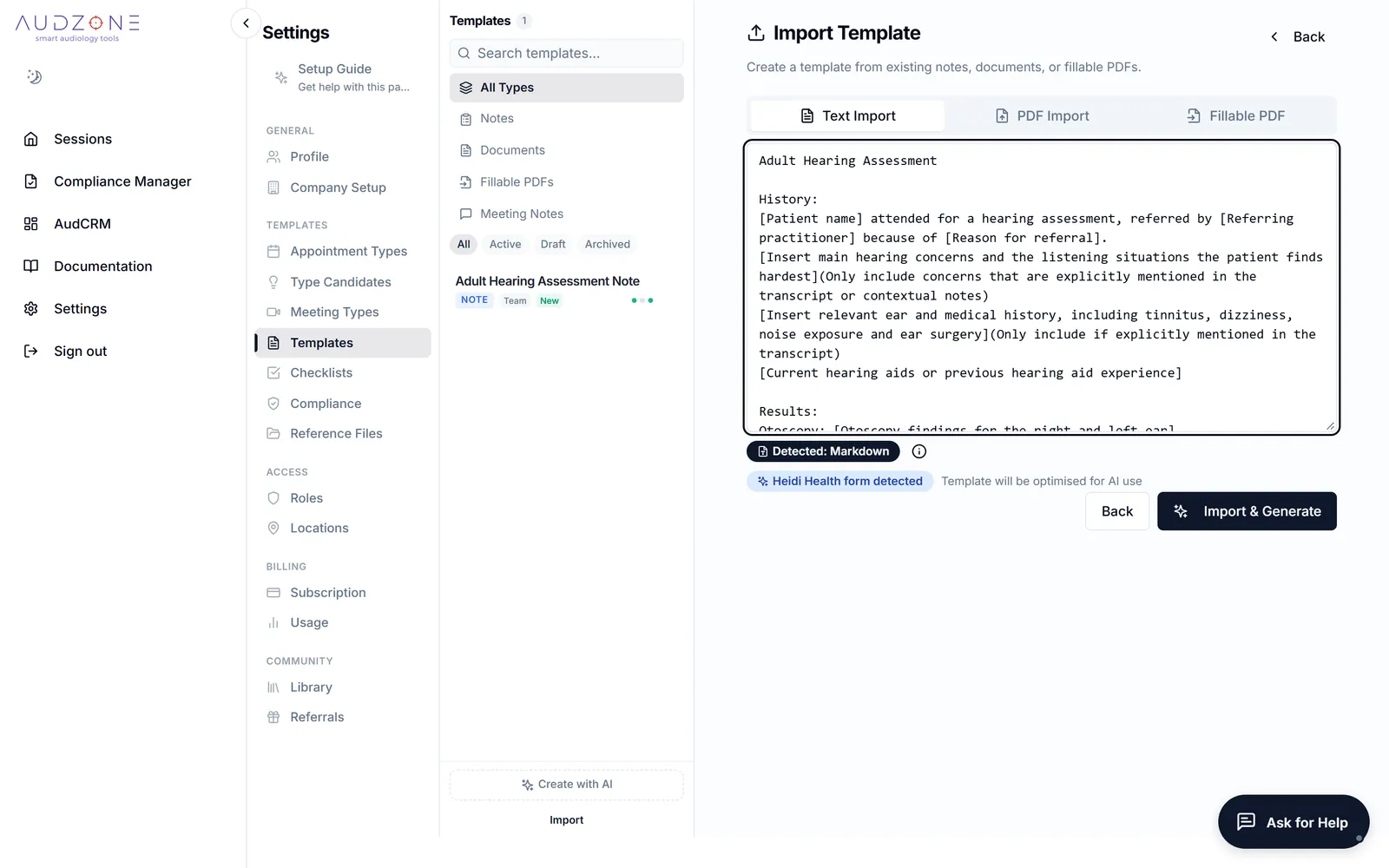
Start from more than 50 audiology templates. Create a new one by describing it, or bring in one you already use, from Heidi, Audit Data or a document. Adjust the wording, and link templates and checklists to appointment types.
- Each part of a template says plainly what belongs there
- Test a template on a sample appointment before you rely on it
- Share checklists, templates and rules through the library
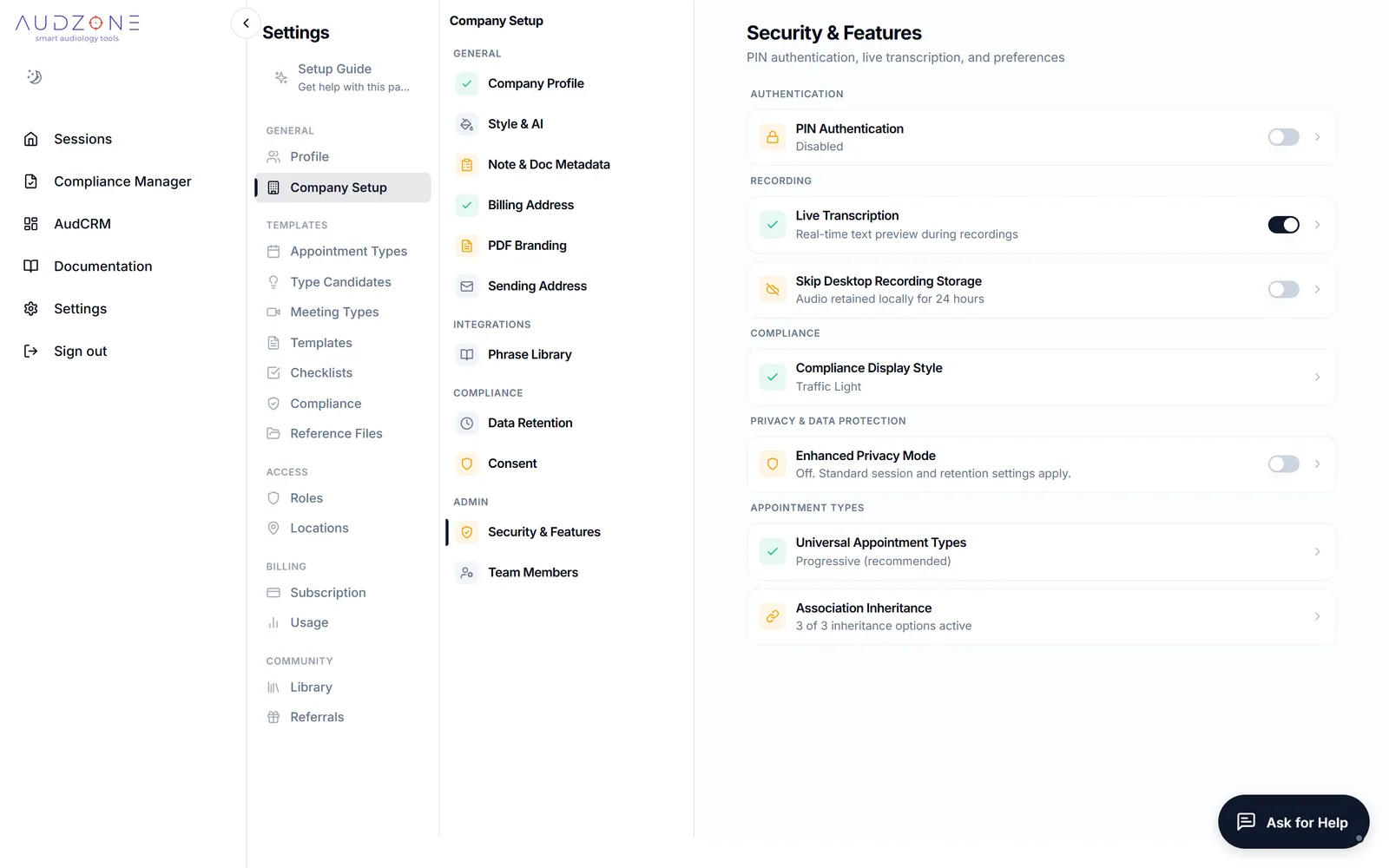
You decide who sees what
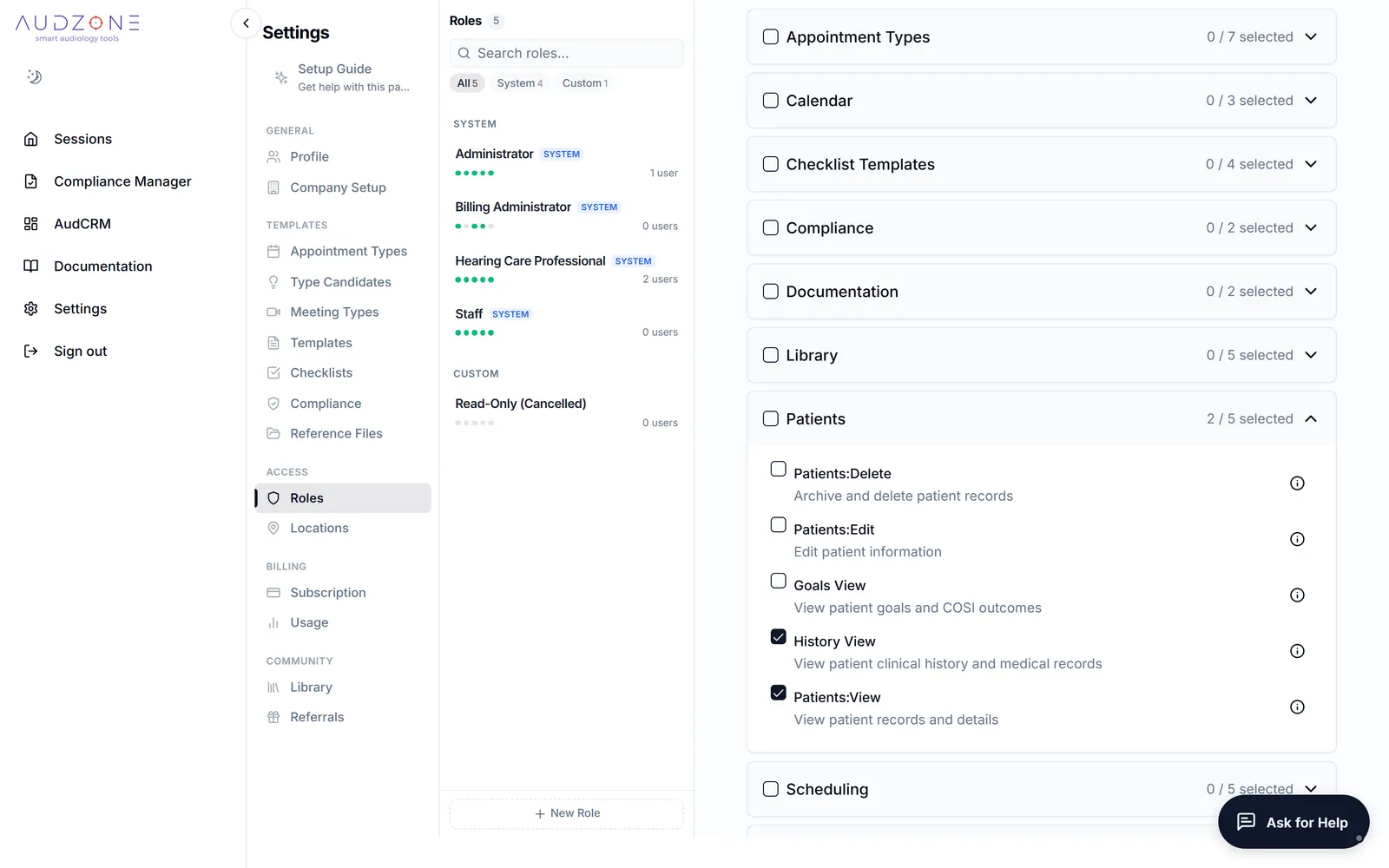
Add your team, give each person a role, and assign them to locations. Choose how long recordings and transcripts are kept. Your data is stored on Australian servers.
- Roles and permissions you can tailor
- A PIN for shared computers
- Free accounts for billing administrators
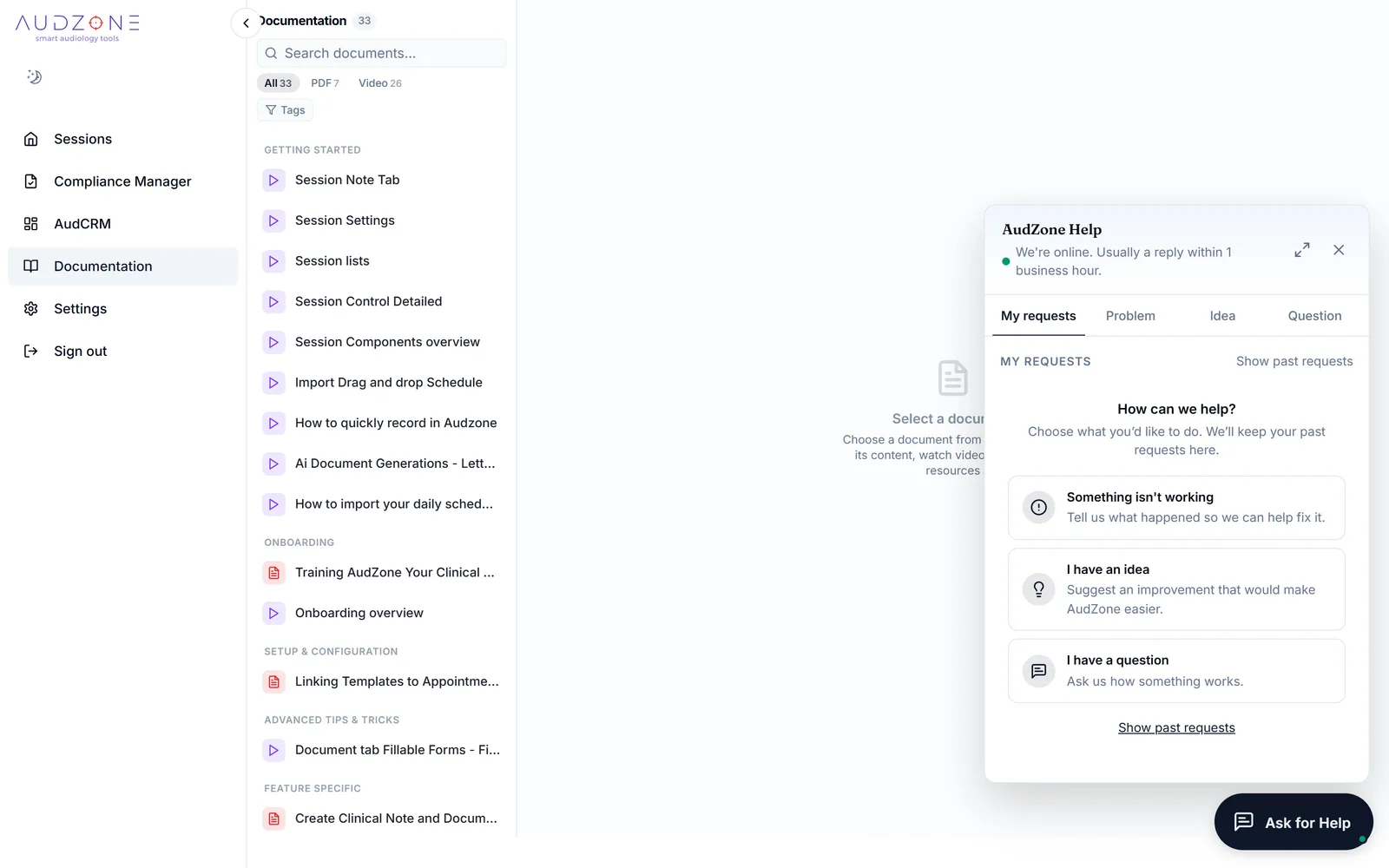
Help is on every screen
Ask for Help sits in the corner of every screen: report a problem, ask a question or suggest an idea. Every guide on this page is also inside AudZone, under Documentation, each with a short PDF to keep.
“It's been fantastic, particularly for capturing the complex counselling of cochlear implants, and streamlining recommendations and reports involved with both paediatrics and CI.”
“I would previously spend 20 to 30 minutes after each appointment doing my notes, ensuring compliance and that I'd covered everything, but this does it all for you.”
Try it on your own appointments
Fourteen days, every feature, nothing charged automatically at the end. Your data is stored on Australian servers.
From $45 a month per clinician (excl. GST), capped at $105. See pricing